Turn your Procreate art into an SVG
Export a PNG from Procreate, upload it here, and get smooth scalable vector art for stickers, cut files, print and your shop.
or drop or paste it here
PNG, JPEG, GIF, BMP, TIFF, or WebP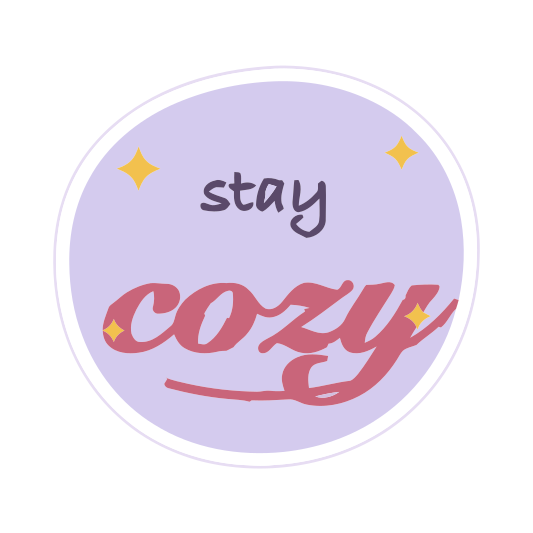 Procreate PNGSVG · scalable
Convert and preview free. Pay 1 credit only when you download.
Why SVG Me
Keeps your hand-drawn feel
Tracing follows your brush lettering and shapes closely instead of flattening them into blobs.
Transparent backgrounds
Export with the background layer hidden and your SVG stays transparent.
Sell it at any size
One SVG covers stickers, prints and cut files without re-exporting.
Downloading unlocks the project for 1 credit. After that, every version recolors and downloads again free. Sign in with Google or email to buy credits and keep your SVGs.
How to do it
- In Procreate, hide the Background color layer, then choose Actions › Share › PNG.
- Upload the PNG to SVG Me. The transparent background stays transparent.
- Check that your lettering and brush shapes look right in the side-by-side preview.
- Download the SVG for stickers, cut files or print.
Setting up the canvas for a clean trace
- Work on a large canvas. Around 3000 px on the long side gives the tracer plenty of edge to follow; a small canvas exported large is still small.
- Ink lettering and shapes with a solid, hard-edged brush such as Monoline or Studio Pen. Textured brushes trace into speckled edges.
- Use flat fills with ColorDrop rather than shading with soft brushes when the art is meant to become stickers or cut files.
- Keep the colors you want as separate, distinct colors. Similar shades will merge.
Exporting from Procreate
- Turn off the Background color layer so the export is transparent.
- Actions › Share › PNG. Don’t choose JPEG, which adds compression noise and a background.
- Save it to Files or Photos and upload it here, on the iPad or after AirDropping it to a computer.
If you only want part of the drawing, hide the other layers before exporting instead of erasing them.
Stickers, cut files and shop listings
- Stickers: download the Sticker format for a white border and one cut line around the design. See making stickers with a cut line.
- Cut files to sell: download "Layers by color" so buyers get one layer per vinyl color, the way Cricut and Silhouette users expect.
- Print: download Standard SVG or PDF for print shops, at any size.
Tested on this exact design
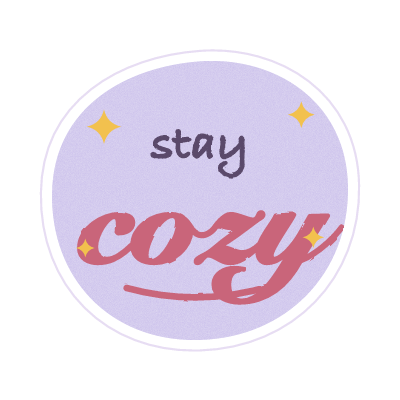
We shrank the example above to 200 px, saved it as a low-quality JPEG, and traced it with SVG Me and two popular free tracers at their default settings. How we tested
| Lower is better | SVG Me | VTracer | Potrace |
|---|---|---|---|
| Difference from the originalaverage per pixel, 0–255 | 2.7 | 4.8 | 7.3 |
| Anchor pointsfewer means smoother cuts | 224 | 1,634 | 1,872 |
| Colorseach one is a layer to cut | 3 | 157 | 8 |
| Stray specksshapes under 4 px, to weed | 0 | 1 | 70 |
| File sizesmaller loads faster | 10 KB | 114 KB | 74 KB |
Questions
Why export a PNG instead of a JPEG?
PNG keeps transparency and has no compression noise, so the trace is cleaner.
Will textured brushes trace well?
Grainy textures become many small shapes. Solid brushes and clean lettering trace best.
Can I sell the SVGs I make?
Converting doesn’t change who owns the artwork. If the drawing is yours, so is the SVG.