SVG vs PDF vs EPS vs DXF: which file type should you use?
All four are vector formats: they store shapes as curves, so they stay sharp at any size. They differ in what they keep and in which programs open them. Use SVG unless your software or printer asks for something else. Here is when it will.
The short version
- SVG: Cricut Design Space, Silhouette Studio Designer Edition, LightBurn, Glowforge, xTool, Inkscape, Illustrator, Figma, Canva and web pages.
- PDF: sticker and print shops, Affinity and Illustrator, and anyone who just needs to open or print the file.
- EPS: older design, sign-making and embroidery software that doesn’t read SVG.
- DXF: CNC routers, plasma and waterjet cutters, CAD programs, and Silhouette Studio Basic Edition.
SVG
The web’s vector format and the default for cutting machines. It keeps fills, colors, transparency, gradients and groups, so "Layers by color" arrives as separate layers in Cricut Design Space and Silhouette Studio, and each color arrives on its own layer in LightBurn.
Opens everywhere and prints predictably, which is why print shops and sticker printers prefer it. SVG Me’s PDF is fully vector, one page the size of the design, with fills and transparency kept. Gradients are drawn in their average color, and the optional soft shading layer is left out.
EPS
The older PostScript vector format. Many sign-making, vinyl-plotter and embroidery-digitizing programs still import EPS when they don’t read SVG. It has no transparency, so partly transparent shapes are drawn solid.
DXF
The CAD exchange format. DXF has no fills or colors, only lines, so SVG Me writes every shape as closed outlines in millimeters, with one layer per color (or a CUT-LINE layer for stickers), named after the color it came from. Give each layer its own tool, speed or depth in your CAM or laser software.
Curves are stored as many short straight segments, less than a twentieth of a point from the true curve. That is well within any machine’s accuracy, but DXF files are larger than the SVG.
How to choose in SVG Me
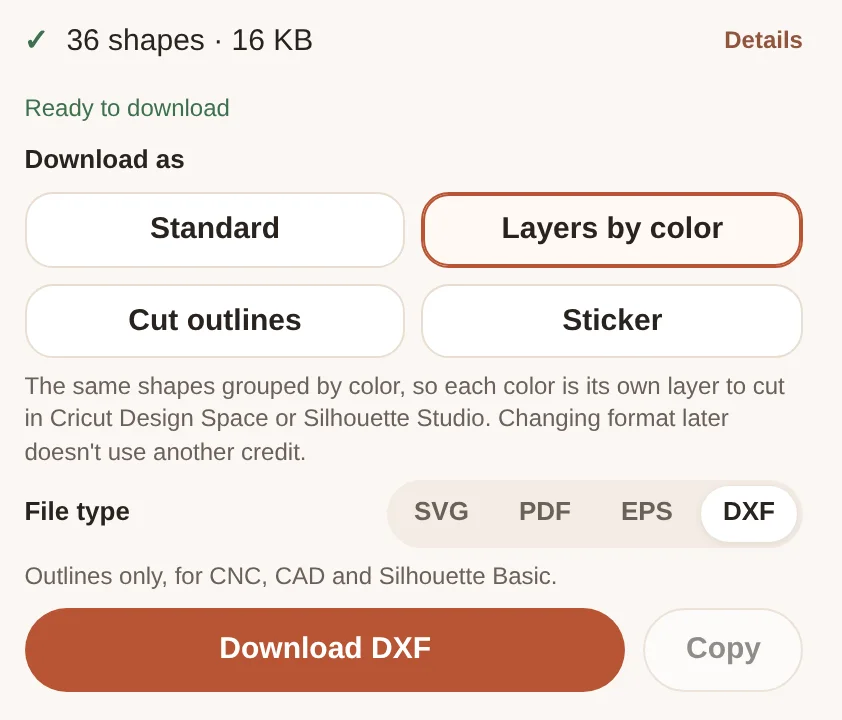
- Choose the format: Standard, Layers by color, Cut outlines or Sticker.
- Choose the file type: SVG, PDF, EPS or DXF.
- Download. Switching format or file type later doesn’t use another credit.
Questions
Is SVG better quality than PDF or EPS?
No. They hold the same curves, so they are equally sharp. The difference is which programs open them and what extras, like transparency, they keep.
Can Cricut Design Space use DXF?
Yes, but DXF has no colors or fills, so each shape comes in as an outline. Use SVG for Cricut unless you only need cut lines.
Does Glowforge accept DXF?
No. The Glowforge app takes SVG and PDF (and images), so use one of those.
What about AI (Adobe Illustrator) files?
Illustrator opens SVG, PDF and EPS directly. Save as .ai from Illustrator if you need one.