Convert PNG to SVG, cleanly
Upload a PNG and SVG Me traces it into smooth vector shapes, keeps its transparent background, and exports an SVG that stays sharp at any size.
or drop or paste it here
PNG, JPEG, GIF, BMP, TIFF, or WebP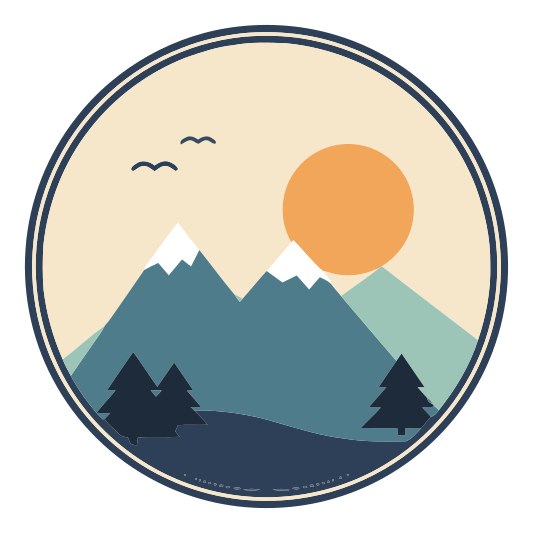 PNG · 400 pxSVG · any size
Convert and preview free. Pay 1 credit only when you download.
Why SVG Me
Transparency kept
Transparent PNGs stay transparent. No white box behind your artwork.
Smooth, simple shapes
Edges become clean curves instead of stair-stepped pixels, with a small set of solid colors.
Recolor before you download
Change, merge or remove colors and see the result next to your original.
Downloading unlocks the project for 1 credit. After that, every version recolors and downloads again free. Sign in with Google or email to buy credits and keep your SVGs.
A transparent PNG, traced to SVG
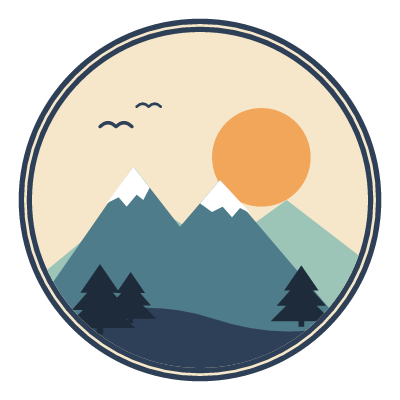
Try the mountain badge shown above: a 400 × 400 PNG with a transparent background, and the SVG Me trace made from that exact file. Download both files to inspect them in your own design tool. No account or credits needed for these sample files.
Original PNGTraced SVGStarts at 3× zoom. Drag the divider to inspect the curved edge, or zoom out to see the whole badge. Changing the preview background does not change either download.
- Image type
- Logo or artwork
- Source quality
- Clean
- Colors
- Unlimited
- Background
- Keep transparent
- Download format
- Standard SVG
The space outside the badge stays transparent; the white mountain peaks stay white. The SVG contains vector paths, not an embedded PNG. Tracing replaces soft edge pixels with curves, so small details and edge positions can change. A PNG whose edges were blended against white may still show a halo: choose the matching background setting before tracing it.
How to do it
- Upload your PNG.
- Check what SVG Me detected: image type, source quality and colors. The preview updates as you change them.
- Merge, change or remove colors, and compare the SVG with your PNG side by side.
- Download the SVG as filled shapes, layers by color, or cut outlines.
What actually changes when a PNG becomes an SVG
A PNG is a grid of colored pixels. An SVG describes shapes: "a curve from here to there, filled with this color". Converting means finding those shapes in the pixels, which is called tracing. Done well, you get:
- Edges that stay sharp at any size, from a favicon to a banner.
- A handful of solid colors you can change in any design tool.
- A file that cutting machines and lasers can follow, because it is made of outlines.
- Usually a smaller file for flat artwork, since a shape takes less to describe than every pixel inside it.
PNGs that convert well, and ones that don’t
- Great: logos, icons, clip art, lettering, stickers, cartoon and flat illustrations. Anything drawn with solid colors.
- Good with care: artwork with soft shading or gradients. SVG Me can keep gradients as gradient fills, or flatten them into a few bands.
- Not a good fit: photos. A photo becomes thousands of small shapes and a large file. Use the PNG itself for photos.
Choosing a download
- Standard: filled shapes. For the web, print, and design tools like Figma, Illustrator, Inkscape and Canva.
- Layers by color: shapes grouped by color, for Cricut and Silhouette.
- Cut outlines: unfilled strokes, for lasers.
- PDF, EPS or DXF: the same shapes for print shops, older design software, and CNC or CAD. See SVG vs PDF vs EPS vs DXF.
Switching between them never costs another credit.
Tested on this exact design
We shrank the example above to 200 px, saved it as a low-quality JPEG, and traced it with SVG Me and two popular free tracers at their default settings. How we tested
| Lower is better | SVG Me | VTracer | Potrace |
|---|---|---|---|
| Difference from the originalaverage per pixel, 0–255 | 3.2 | 8.5 | 14 |
| Anchor pointsfewer means smoother cuts | 266 | 1,563 | 2,067 |
| Colorseach one is a layer to cut | 6 | 150 | 8 |
| Stray specksshapes under 4 px, to weed | 0 | 0 | 160 |
| File sizesmaller loads faster | 12 KB | 117 KB | 82 KB |
Questions
Will the transparent background stay transparent?
Yes. Transparent areas stay empty in the SVG, so there is no white box behind your artwork. If the edges were blended against a color, you can flatten onto that color instead.
Why not just rename the PNG to .svg?
Renaming the file, or embedding a PNG inside an SVG, keeps the pixels: it still blurs when enlarged and cutting machines can’t cut it. Tracing turns the pixels into real vector shapes.
Is PNG to SVG conversion free?
Converting and previewing are free, so you can check the exact result first. Downloading costs 1 credit per project. After that, you can recolor and download it again free.
Does it work for photos?
Photos work, but they become many small shapes and larger files. SVG Me does best with logos, illustrations, lettering and icons.